PDF to PowerPoint graphic Fast, focused workflow
Convert tool

PDF to PowerPoint

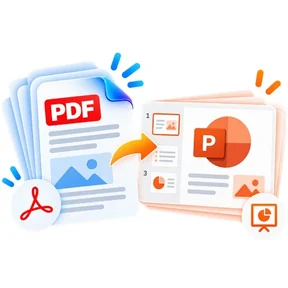
Convert each PDF page into a matching PowerPoint slide and download a valid PPTX presentation.

Processes locally in your browser No account required

Loading converter…

How to pdf to powerpoint

  1. Choose a PDF file.
  2. Select the pages and slide image quality.
  3. Convert and download a PPTX with one slide for each selected PDF page.

What this tool does

This converter uses a visual-fidelity workflow: each PDF page is rendered at high quality and fitted to a PowerPoint slide with the same aspect ratio. The resulting PPTX is genuine PowerPoint, but page content is primarily a slide image rather than individually editable PDF text and shapes.

Frequently asked questions

Does each PDF page become a PowerPoint slide?

Yes. Every selected PDF page becomes one slide in the same order.

Are slide elements editable?

The slide itself is editable, but the PDF page is inserted as a high-quality image to preserve appearance.

Will landscape PDFs stay landscape?

Yes. Slide size follows the first selected PDF page aspect ratio and page images are fitted proportionally.

Are files uploaded?

No. PDF rendering and PPTX generation happen locally in your browser.

Quick answer

PDF to PowerPoint: fast browser-based PDF work

PDF to PowerPoint lets you convert each PDF page into a matching PowerPoint slide and download a valid PPTX presentation. Open the tool in a modern browser, choose your file, apply the available settings and download the result. No account is required.

Works onlineNo desktop installation required No accountOpen the tool and start immediately Focused controlsSettings are specific to this PDF task
Common uses

When to use PDF to PowerPoint

  • Move content between PDF and common office formats
  • Prepare documents for editing or presentation
  • Create shareable PDF versions from source files

Processing note: Supported core operations are designed to process the selected file in the active browser session.