
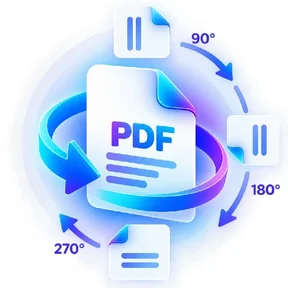
Rotate PDF graphic Fast, focused workflow
Organize tool

Rotate PDF

Rotate every page at once with the left/right arrows, or open any page thumbnail and rotate just that one.

Processes locally in your browser No account required

Drop your file here

or choose a file from your device

PDF · up to 1 GB per file · processed in this browser tab

How to rotate pdf

  1. Choose a PDF and wait for the page thumbnails to build.
  2. Use “Rotate all left/right” for every page, or the arrows on a single thumbnail for just that page.
  3. Process and download the rotated PDF.

What this tool does

Correct sideways or upside-down scans while preserving the PDF page content. Each page keeps its own independent rotation, so a mixed-orientation scan can be fixed page-by-page.


Frequently asked questions

Can I rotate only some pages?

Yes. Rotate individual page thumbnails left or right independently of the rest of the document.

Can I rotate every page at once?

Yes. Use the “Rotate all left” / “Rotate all right” buttons in the side panel.

Will rotation change page quality?

No rasterization is required for this tool. It updates page rotation metadata/content orientation.

Can I rotate a page by 180°?

Yes. Click either rotate arrow on that page thumbnail twice.

Quick answer

Rotate PDF: fast browser-based PDF work

Rotate PDF lets you rotate every page at once with the left/right arrows, or open any page thumbnail and rotate just that one. Open the tool in a modern browser, choose your file, apply the available settings and download the result. No account is required.

Works onlineNo desktop installation required No accountOpen the tool and start immediately Focused controlsSettings are specific to this PDF task
Common uses

When to use Rotate PDF

  • Clean up scanned or assembled document packs
  • Prepare reports, statements and multi-page files
  • Rebuild page order before sharing or archiving

Processing note: Supported core operations are designed to process the selected file in the active browser session.

Helpful reading

Understand the workflow before you process an important file.

All PDF guides