How to resize pdf pages
- Choose a PDF.
- Select the target page size, fit mode and margins.
- Resize all pages and download the new PDF.
What this tool does
Normalize mixed page sizes for printing, filing or consistent presentation.
 Private browser tools
 Fast, focused workflow
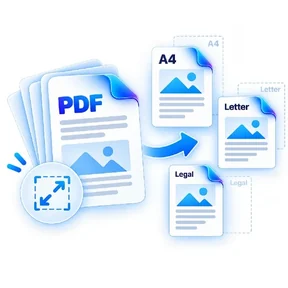
Fit PDF pages onto A4, Letter or Legal page sizes.
or choose a file from your device
Normalize mixed page sizes for printing, filing or consistent presentation.
Yes. Contain mode scales each page proportionally inside the target size.
Stretch mode fills the target page and can change the original aspect ratio.
A4, US Letter and US Legal are included in this version.
Resize PDF Pages lets you fit PDF pages onto A4, Letter or Legal page sizes. Open the tool in a modern browser, choose your file, apply the available settings and download the result. No account is required.
Processing note: Supported core operations are designed to process the selected file in the active browser session.
A practical guide to shrinking PDF files while keeping text, scans and images readable, with advice on when compression helps and when it can make a PDF worse.
Read guideLearn why cropping a PDF, changing page size and securely redacting information are different operations with different privacy consequences.
Read guideThe tool stays on one canonical URL; these location hubs add country-specific document guidance and related reading.